SnooTwo
SnooTwo lets a customer who’s already ordering food from one merchant add drinks, dessert, or medicine from a second nearby store — without paying for, or tracking, a whole separate delivery.
Role
Sole Product Designer
Timeline
2 Weeks
Tools
Figma
Protopie
01

SnooTwo lets a customer who’s already ordering food from one merchant add drinks, dessert, or medicine from a second nearby store — without paying for, or tracking, a whole separate delivery.
the short version
Snoonu's whole experience assumes one customer → one merchant → one address. But people don't think in transactions, they think in occasions. "Dinner and drinks." "I forgot milk." "My kid wants dessert." Today, the only way to satisfy that is a second order with a second delivery fee, second tracking screen, and second driver knocking.
SnooTwo reframes the unit of fulfilment to one customer mission across two merchants, in one coordinated delivery — and treats the logistics as part of the product, not a backstage problem .
The customer has one need. The app forces three choices.
OPTION 1
Compromise
Buy everything from the one merchant — even when they don’t really sell it.
need unmet
OPTION 2
Order again
Place a second order, re-enter everything, pay a second delivery fee.
+ delivery fee
OPTION 3
Leave Snoonu
Go somewhere else entirely for the second purchase.
lost order
A user is ordering from their usual restaurant and wants to add a few items from a pharmacy next door or perhaps an additional item from another restaurant. In every existing delivery app, this is impossible without starting an entirely separate order — a new cart, new delivery fee, new tracking screen. The problem isn’t that the behaviour is obscure. It’s that the app treats one errand as two jobs.
“Is this even worth an entirely new second order just to get this one thing?”
Customers often have complementary needs one merchant can't fill — but creating a separate delivery adds enough financial and operational friction that they compromise, abandon the add-on, or leave the platform.

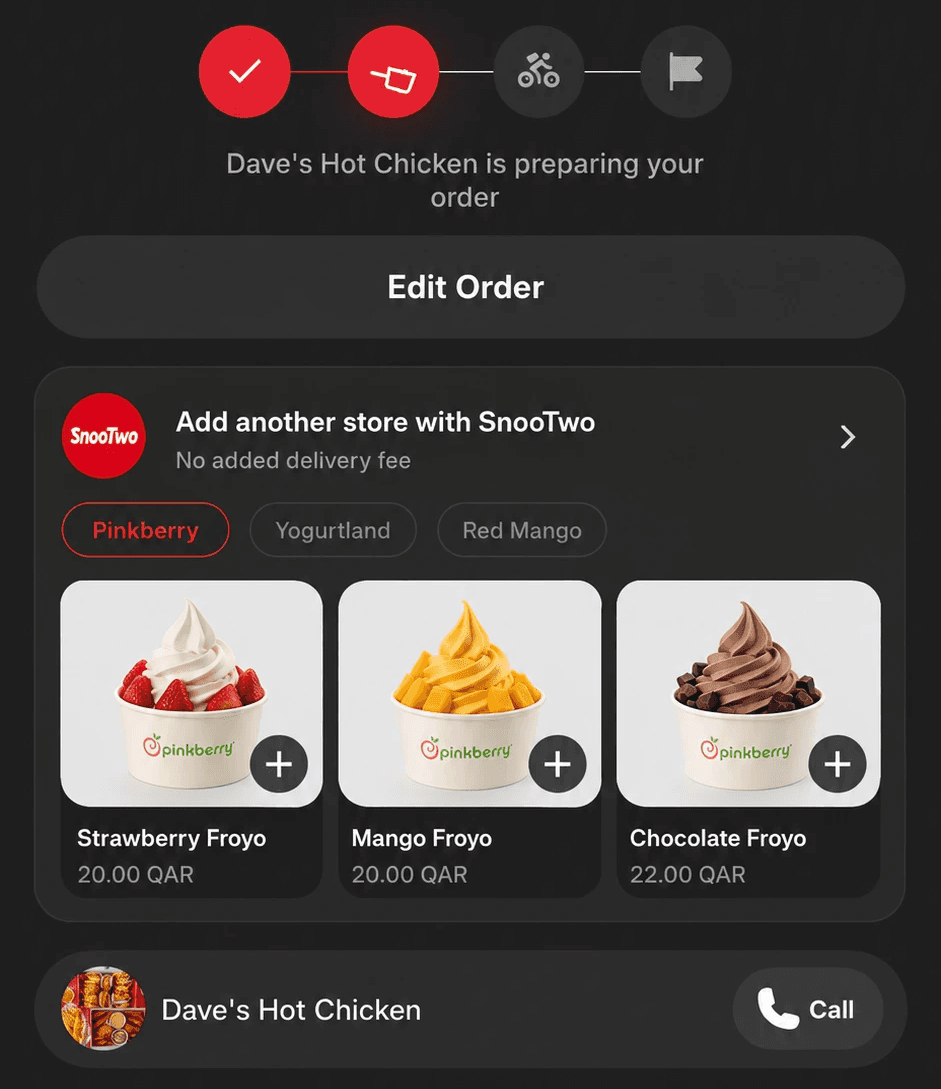
Current flow — opens a completely separate second order
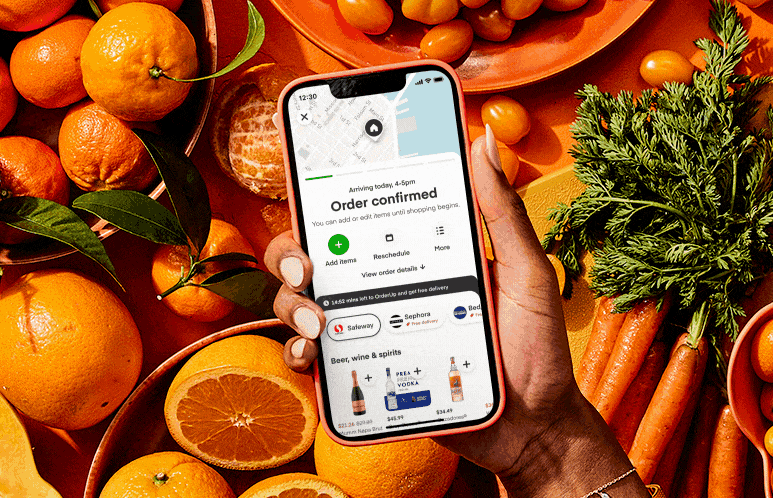
Competing apps — same problem, different UI
02
I started by assuming the behaviour already exists — then went looking for it
Before designing anything, I mapped every food delivery app I could find to test a hypothesis: that someone had already solved this and I could build on it. They hadn’t.
Finding 01
Every major delivery app in the GCC treats multi-merchant ordering as a separate session. None allow mid-order additions from a different store.
Finding 02
Users in forum threads described workarounds: texting a friend, calling the restaurant, placing two orders simultaneously and managing them separately.
Finding 03
The friction wasn’t in checkout — it was in the moment users realised their original cart didn’t contain what they needed from a second source.

Field notes

affinity map
03
Six insights that shaped every decision after
01
People complete occasions, not orders
Nobody thinks "I need a second merchant transaction." They think "we need dinner and drinks." → Lead with the mission ("Complete your meal", "Forgot something?"), never "start a new order."
02
The second delivery fee is the whole barrier
The second basket is usually smaller, so a second fee feels wildly out of proportion. → Put "no additional delivery fee" before browsing — but never let it imply "no other charges."
03
The first order is sacred
People fear a second stop will make dinner cold. → Reassure with real operational truth: "adds ~5 min", "arrival unchanged", "may arrive separately to stay fresh."
04
Product-first beats merchant-first
Users don’t care whether the second store is a pharmacy, bakery, or florist — they care that it’s nearby and that adding it won’t delay their primary delivery significantly.
05
One experience, two real orders
Customers want one arrival, one tracker, one support door. But each merchant must accept, prep, cancel, and refund independently. → A parent delivery holding two independent child orders.
06
Post-checkout is the strongest moment
Address confirmed, payment in, customer actively waiting, a real order to test compatibility against. → Launch SnooTwo right after the first checkout; save pre-checkout planning for later.
04
Four directions I explored — and why I killed three of them
A
Unrestricted multi-store cart
Cut for V1
B
Post-checkout merchant map
Supporting Role
C
Product-first recommendations
Chosen for V1
D
Occasion-based bundles
Phase 5
05
How SnooTwo actually works, end to end
The entire flow happens within a single session no second app, no second login, no second delivery screen. Here’s how it moves from cart to doorstep.
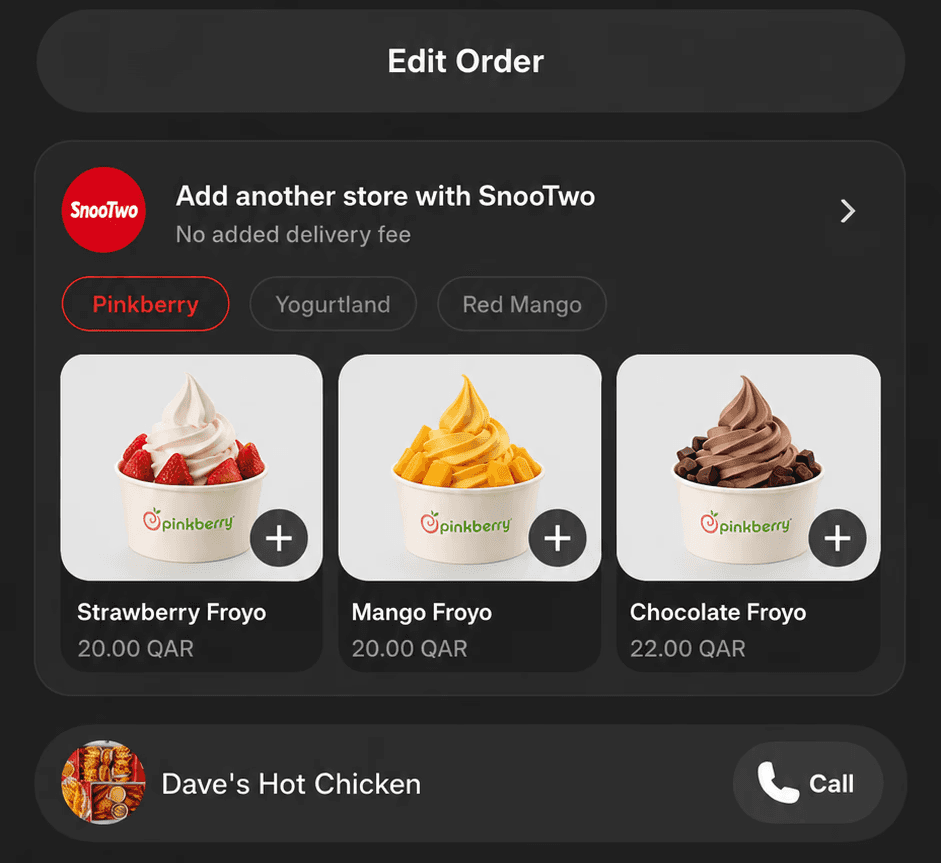
Stage 1
A quiet invitation
The primary checkout stays clean. The moment it's done, a bottom sheet appears — prominent enough to find, never blocking tracking. "Need anything else? Add from one nearby merchant, no additional delivery fee."
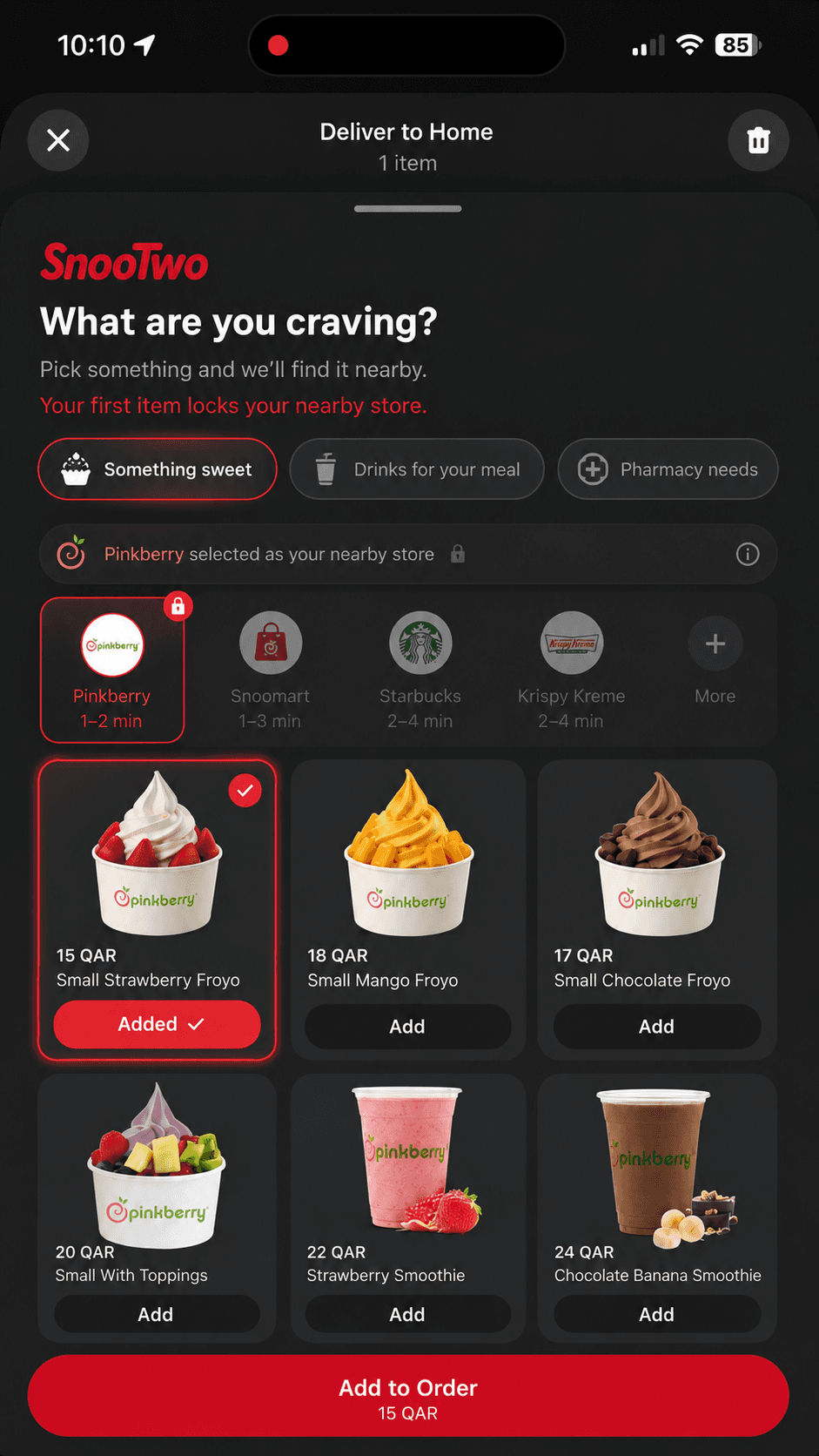
Stage 2
Product-first discovery
"Drinks for your meal", "Something sweet", "Pharmacy needs" — not a grid of logos. The first item you add silently locks in its merchant as your one secondary store, and others step back. The constraint enforces itself

Merged checkout — one payment, one confirmation
The secondary cart always shows the primary order above it — two subtotals, one summary. The delivery line reads QAR 0, but service, tax, and any category fees are shown plainly. The promise is "no second delivery fee," never "free."

Stage 4
Unified tracking — both merchants on one timeline
Post-order, a single tracking screen shows the status of both merchant pickups and their estimated arrival in one merged view. No app switching. No second order refresh.
06
The design that makes the simple screen possible
SnooTwo only works if the customer experience, merchant workflow, and driver route all agree on what "one coordinated delivery" means.
As the primary order progresses — assigned, picked up, en route — inserting a second merchant gets physically harder. The honest design choice: the offer closes when Snoonu can no longer coordinate responsibly
Design principle
“Show only what the user needs to make this one decision. Nothing more.”
07
The rules I held myself to
01
Complete the mission, not the cart
Recommend by what the customer is trying to accomplish.
02
Protect the first order
The add-on must never impact original order delivery time significantly or the quality
03
Hide complexity, not consequences
No routing math on screen — but fees, timing, and splits are always clear.
04
Prioritize operational truth
Never promise one driver or simultaneous arrival before the system can keep it.
05
Unify, but allow independent resolution
Orders feel connected; one merchant's problem doesn't destroy the journey.